Bring an existing process forward
Move a labeling workflow
with its decisions in view.
Start with representative NiceLabel labels and automation. Convert them into editable documents, inspect the findings and rebuild the operator and integration handoffs around the work your team actually performs.
A manageable first project
Choose one packing line
with a useful mix of cases.
Elisa owns the label design; Jonas owns the business-data connection; Mara owns the packing station. Their first scope is one label family and the process that selects and fills it.
Collect the related .nlbl labels, .misx automation, artwork and representative source values. Include the branches that matter: a missing lot, a changed destination and a value calculated by the old system.
The Northline examples are synthetic. Your evaluation should use files you are entitled to use in the environment you select.
See the conversion and review workflow →Describe the existing decision
Record what starts the process, how it chooses a label and printer, which values it derives and how operators respond to exceptions.
Convert a representative package
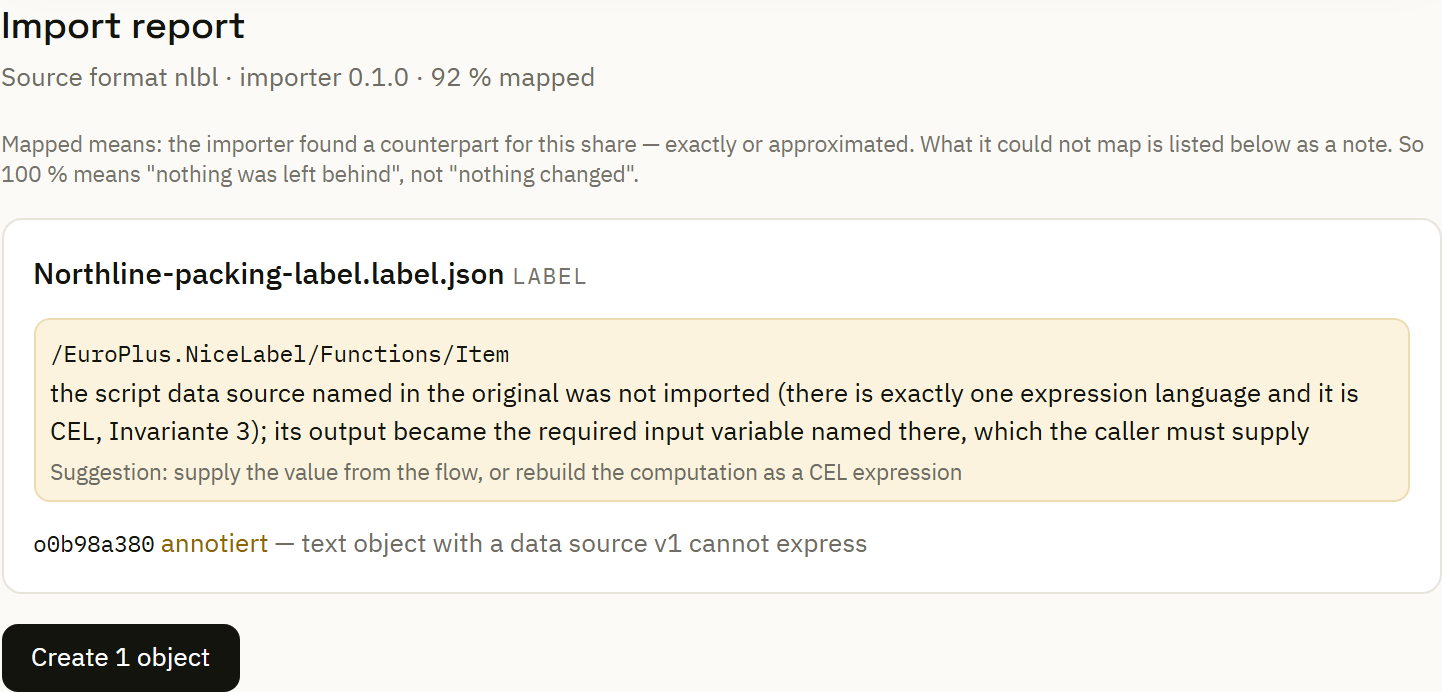
Upload the source and inspect the conversion report. Review the returned documents and the findings attached to the affected objects or workflow steps.
Resolve artwork and special behavior
Supply missing linked images where requested. Where a source script cannot carry over, provide its required value upstream or rebuild the rule with supported expressions.
Inspect the converted design with data
Adopt the editable label, load representative sample values and review dimensions, text fitting, barcode content and variable bindings in the Designer.
Reconnect the operator and data paths
Configure the real data source and printer roles. Give operators a saved print form where the process requires input at the station.
Exercise the important branches
Run normal and invalid records against a controlled target. Check the branch decision, prepared label, operator notice and recorded delivery separately.
Agree a bounded cutover
Select the version and site group, record the acceptance decision and retain a clear return path. Expand to the next label family after the first workflow meets its operational requirements.
The useful output is editable
Work with the label
and the values together.
Once adopted, the converted document enters the same authoring workflow as a new design. Inspect objects, variables and representative sample sets; keep unresolved findings associated with the relevant content.
For example, a legacy script-derived value should become an explicit input or a reviewed supported calculation. Marking a finding reviewed records a decision; it does not recreate the old script.
Explore data-assisted label design →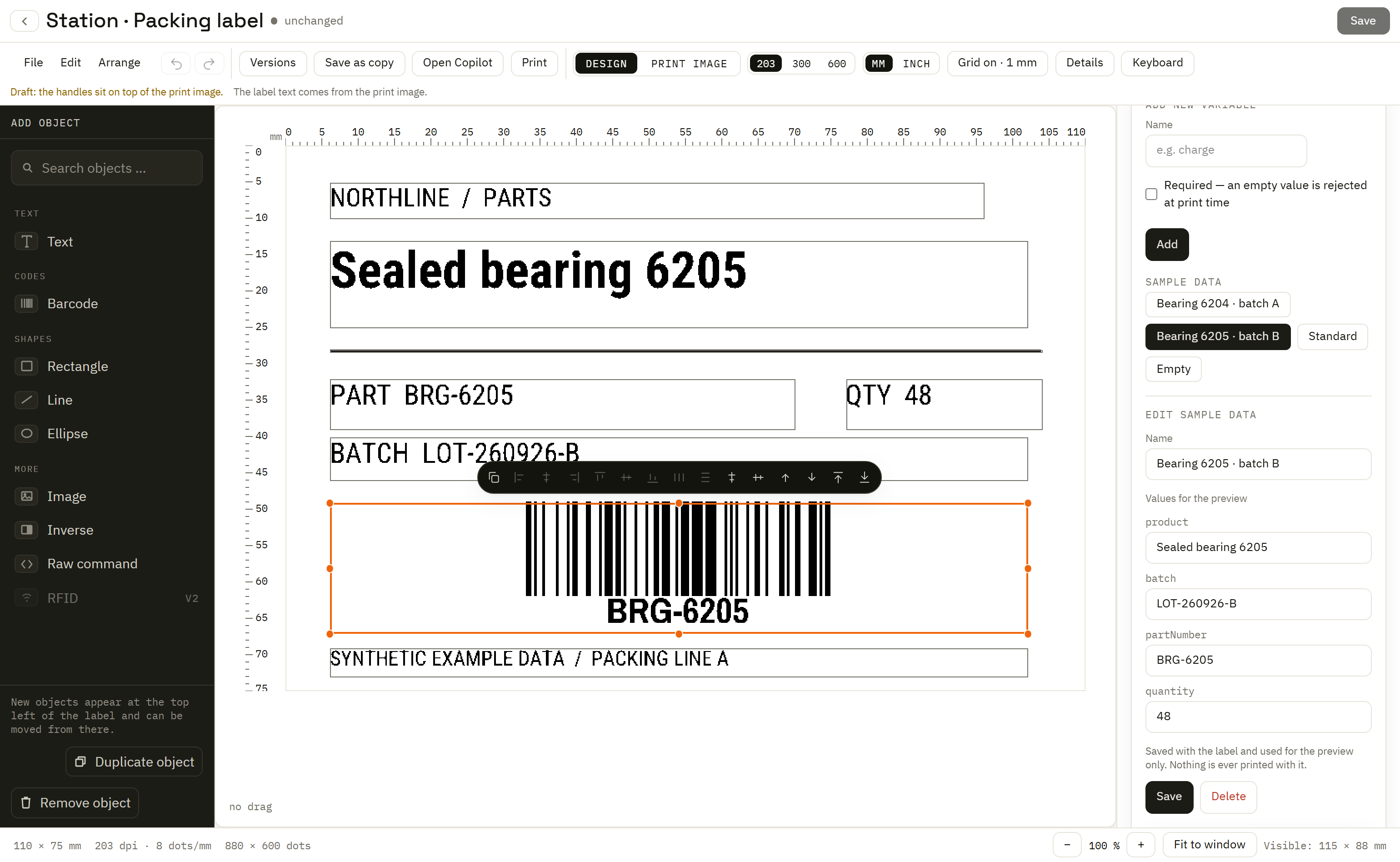
Keep a compact migration record
What changed,
and who accepted it?
| Area | Record | Owner in the example |
|---|---|---|
| Design and artwork | Converted objects, supplied images, font substitutions and sample-value review. | Elisa |
| Data and decisions | Source connection, calculated values, validation branches and printer-role mapping. | Jonas |
| Operator workflow | Prompts, required inputs, preview, destination and exception handling. | Mara |
| Adoption | Selected version, target group, observed outcomes and the cutover decision. | Process owner |
Use physical samples for the final operational comparison
Rendering and simulator runs help examine the software path. Compare labels from the intended printers, media and scanners when judging the output that the line and receiving operation will actually use.